
Detailed 3D presentation
Rotate and inspect cabinets, screens and product details from multiple angles.
3D & AR vending sales tools
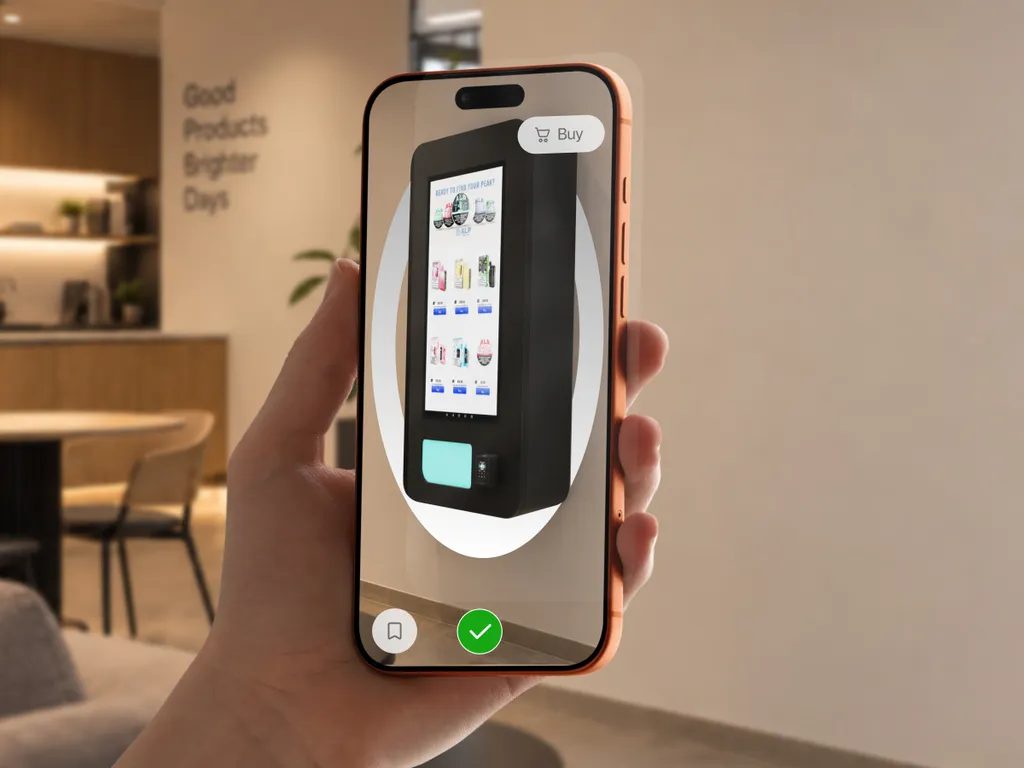
Large equipment is hard to bring to every prospect. Give sales teams a visual way to explain the machine, compare its form and discuss a possible location before organizing a physical visit.
Capabilities
Rotate and inspect cabinets, screens and product details from multiple angles.
Preview floor-standing or wall-mounted equipment at the scale of the prepared model.
Compare the sizes, finishes, branded wraps and modules available in your catalog.
Arrange several machines in one AR scene to discuss the proposed equipment mix.
Pass the product experience from rep to buyer to site owner, including from printed sales materials.
Add 3D viewing and AR access to machine pages so prospects can explore before a call.
Equip field teams with a separately configured Showroom AR catalog for in-person presentations.
Prepare existing models or have Vizbl create machine assets from photos and dimensions.
Compare prepared sizes, finishes, wraps and modules, or arrange several machines in one AR scene. Help buyers discuss the actual equipment options before the site assessment and delivery.
Plan your implementationChoose the machines and configurations most useful in your sales process.
Supply dimensions, references and available 3D or CAD files. Review the model against the equipment.
Add the viewer to machine pages and create links or QR codes for your team.
Check mobile presentation and make the distinction between a visual preview and a technical site survey clear.
Common questions
No. Use it to discuss appearance and placement. Confirm measurements, clearances, electrical requirements, access and service space through a proper site assessment.
Yes. Sales partners can open the catalog, share product links and QR codes, or use website embeds. A branded Showroom AR iPad is another available configuration.
Yes. Prepare the wraps, finishes, sizes and modules you offer as catalog variants. Buyers can compare those configured options in 3D and AR.
VapeTM uses Vizbl to show wall-mounted machines on phones and tablets, share links and add QR codes to sales materials. Watch the customer story on this site.
Your collection. Your next step.
Bring a machine specification or existing model. We will show how a 3D and AR experience can support your sales and placement workflow.
Let’s talk about your catalogA conversation with the Vizbl team.